
Semantic segmentation in industrial robot vision is a vision method that labels every pixel in a camera image by material or object type. A robot uses that pixel map to tell parts, tools, conveyors, and people apart in one view. Unlike a simple detector, it marks exact shapes and edges. That detail helps the robot grasp, cut, weld, or avoid an object with care.
Table of Contents
- How Is It Different From Other Robot Vision?
- Where Does It Help in a Factory?
- What Does a Working Setup Need?
- Where Does It Fail?
How Is It Different From Other Robot Vision?
Bounding boxes draw a rectangle around an object. Segmentation traces the object itself, pixel by pixel. That difference matters when parts overlap or sit at odd angles.
Classification answers what is in an image. Detection adds where it is. Segmentation adds exactly which pixels belong to it, so the robot can plan contact.
Where Does It Help in a Factory?
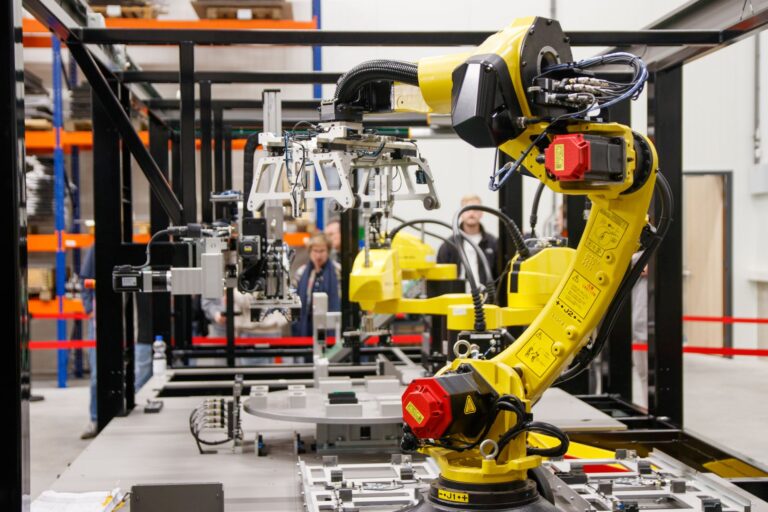
A common use is bin picking from a jumbled tray. The system separates each part from its neighbors and the bin wall. The robot then picks one clear grip point instead of grabbing blindly.
Another use is inspection and path control. The system marks seams, defects, coating areas, or keep-out zones. The robot follows the marked area and skips the rest.
What Does a Working Setup Need?
A working setup pairs a camera, lighting, and a trained model. Good lighting keeps colors and edges stable across shifts.
Clean lenses and fixed camera positions help just as much. Most teams focus on images from the real work cell: Run checks during normal production, not only during setup. Keep examples of mistakes and add them to the next round of labeling.
- collect views with normal dust, glare, and part shifts
- label parts, background, fixtures, and hazards pixel by pixel
- test on new batches, layouts, and light levels
Where Does It Fail?
Shiny metal, clear plastic, smoke, and sudden shadows can blur edges. Small or dirty lenses make the problem worse. Crowded scenes can also merge two touching parts into one shape.
Edge errors can cause missed picks, extra paint, or unsafe moves near people. Treat the pixel map as guidance, not as a safety guard. Keep separate sensors and stops for protecting workers. Start with one cell, log where labels go wrong, and fix light and camera placement before changing the model.