
ROS (Robot Operating System) fits complex robots that need navigation, sensor fusion, or multi-process coordination, while Arduino fits simple, single-purpose robots built around direct motor and sensor control. The right choice depends on how much computation your robot needs and how much time you want to spend on setup versus building.
ROS is not an operating system in the traditional sense — it's a framework of libraries and tools that run on top of Linux (primarily Ubuntu) to help separate programs, called nodes, communicate with each other. Arduino is a microcontroller platform: inexpensive boards paired with a simplified C/C++ programming environment, built to read sensors and drive motors with minimal overhead. Many serious robot builds end up using both together rather than picking one exclusively.
Table of Contents
- What ROS and Arduino Are Actually Built For
- Which One Matches Your Project's Complexity
- The Learning Curve and Setup Cost
- Hardware and Cost Differences
- Combining Them in One Robot
- Frequently Asked Questions
What ROS and Arduino Are Actually Built For
ROS was designed for robots that need to reason about the world — combining camera, lidar, and depth-sensor data, planning a path, and coordinating multiple behaviors at once. It runs on a full computer (a Raspberry Pi, an Intel NUC, or a laptop) because that kind of processing needs real memory and a real operating system underneath it. ROS gives you pre-built packages for things like simultaneous localization and mapping (SLAM), path planning, and robotic arm control, so you aren't writing that logic from scratch.
Arduino was designed for close-to-the-hardware tasks: reading a distance sensor, spinning a motor at a set speed, or blinking an LED in response to a button press. The board itself has no operating system — your code runs directly on the chip in a tight loop, which makes timing predictable and response instant. This is why Arduino boards, not full computers, are what actually sit next to the motors and sensors in most robot designs, ROS-based or not.
Which One Matches Your Project's Complexity
A robot that follows a line, avoids obstacles with an ultrasonic sensor, or performs a fixed sequence of movements needs only Arduino. The logic is simple enough to write directly in Arduino's C++-based language, and the hardware is cheap enough that a mistake doesn't cost much.
A robot that needs to build a map of a room, recognize objects with a camera, or plan a route around obstacles it hasn't seen before benefits from ROS. These tasks require more memory and processing power than a microcontroller can offer, and ROS gives you tested libraries for localization, mapping, and motion planning instead of requiring you to write that math yourself.
- Choose Arduino alone if: your robot has a handful of sensors and motors, behavior is reactive or pre-programmed, and you want to see it move within a day or two.
- Choose ROS if: your robot needs a camera or lidar for navigation, you want it to make decisions based on a map, or you plan to reuse the same codebase across different hardware later.
- Choose both together if: you want ROS-level planning on a computer, with Arduino handling the real-time motor and sensor work underneath it.
The Learning Curve and Setup Cost
Arduino has one of the lowest barriers to entry in electronics. The Arduino IDE installs in minutes, example sketches cover most common sensors and motors, and a beginner can get a motor spinning in an afternoon. Documentation is extensive because the platform has been a hobbyist standard for close to two decades.
ROS has a steeper learning curve. It assumes familiarity with Linux, package management, and a publish-subscribe communication model where nodes send messages to each other over named "topics." Getting a simulated robot running in ROS's Gazebo simulator before touching real hardware is a common and sensible first step, but it adds time before you see physical results. Budget significantly more setup time for ROS than for Arduino, especially on a first project.
Hardware and Cost Differences
Arduino boards range from roughly the price of a toy to the price of a basic smartphone case, and a complete beginner robot kit — chassis, motors, sensors, and board — typically costs the same as a casual dinner out. Because the board runs code directly with no operating system overhead, even the cheapest models can reliably control motors in real time.
ROS requires a computer capable of running Linux, which means a single-board computer (an entry in the Raspberry Pi class) at minimum, and often more processing power if you're running cameras or lidar. That computer plus its sensors costs more than an Arduino-only build, and you'll typically still need an Arduino or similar microcontroller alongside it to handle motor control directly, since ROS's host computer isn't built for the microsecond-level timing that spinning a motor precisely requires.
Combining Them in One Robot
Most intermediate and advanced robot builds don't choose one platform exclusively — they split the work. ROS runs on the onboard computer, handling navigation, mapping, and high-level decisions.
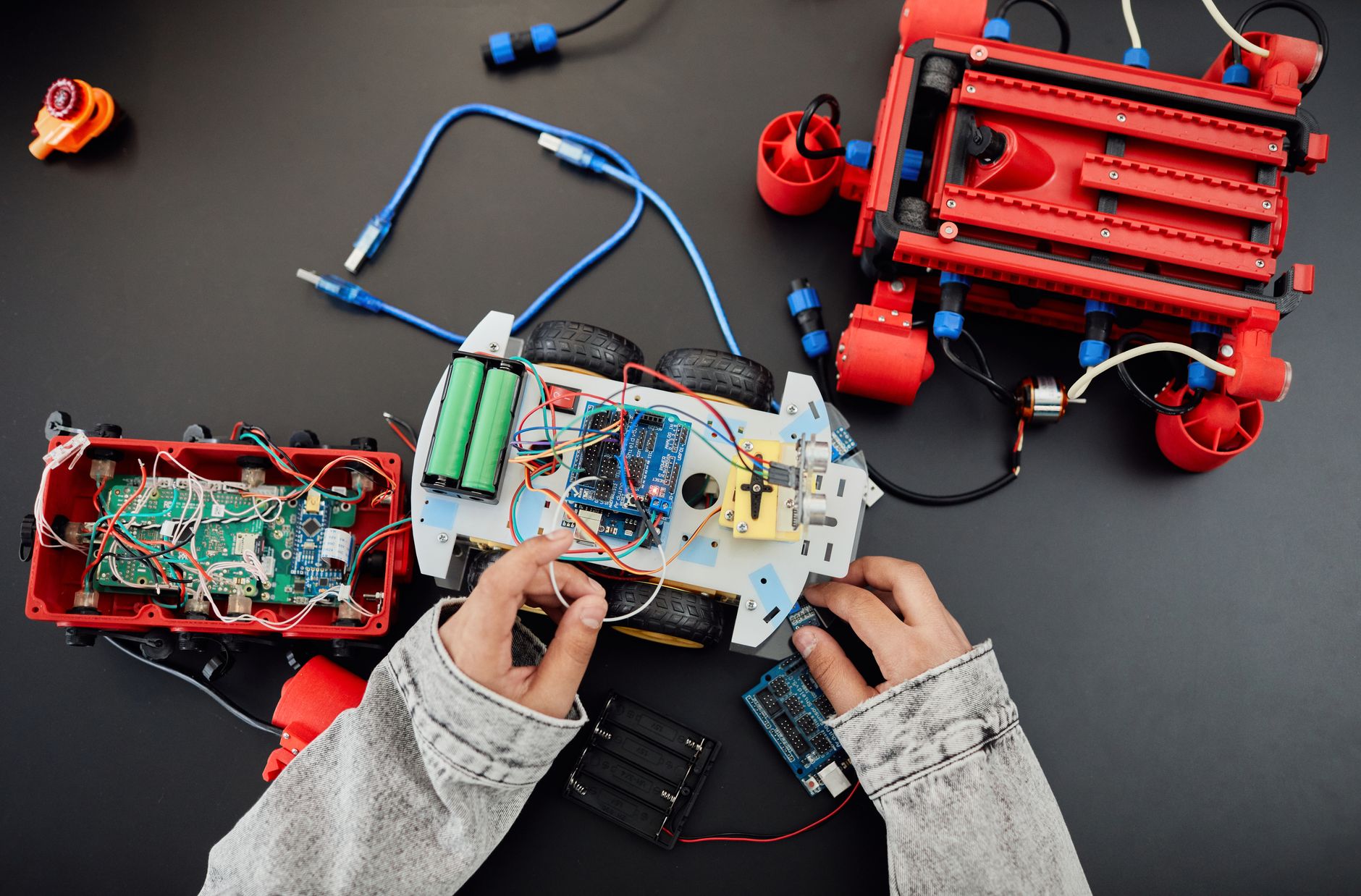
Arduino runs underneath it, reading encoders and driving motor controllers in a tight, predictable loop, then reporting back over a serial connection. This division plays to each platform's strength: ROS is good at reasoning over sensor data and planning, while Arduino is good at fast, reliable hardware control that can't tolerate the delays of a general-purpose operating system. The `rosserial` library (or its ROS 2 equivalent, `micro-ROS`) is the standard bridge, letting an Arduino publish sensor readings and receive motor commands as if it were a native ROS node.
- Start with Arduino alone to confirm your motors, sensors, and chassis work correctly.
- Add ROS once you need mapping, navigation, or camera-based behavior the Arduino can't handle on its own.
- Use a serial bridge library to connect the two rather than rewriting your motor-control code in ROS.
Frequently Asked Questions
Can a beginner start directly with ROS instead of Arduino?
It's possible, but the Linux and networking concepts ROS assumes make it a harder first project than Arduino, where a sensor-driven robot can work in a single afternoon.
Do I need a Raspberry Pi to run ROS?
You need some computer capable of running Linux; a Raspberry Pi is a common low-cost choice, but a laptop or other single-board computer works as well.
Is ROS 2 different from the original ROS for this decision?
ROS 2 improves real-time performance and adds support for microcontrollers through micro-ROS, but the core choice between a full ROS stack and a standalone Arduino build stays the same.